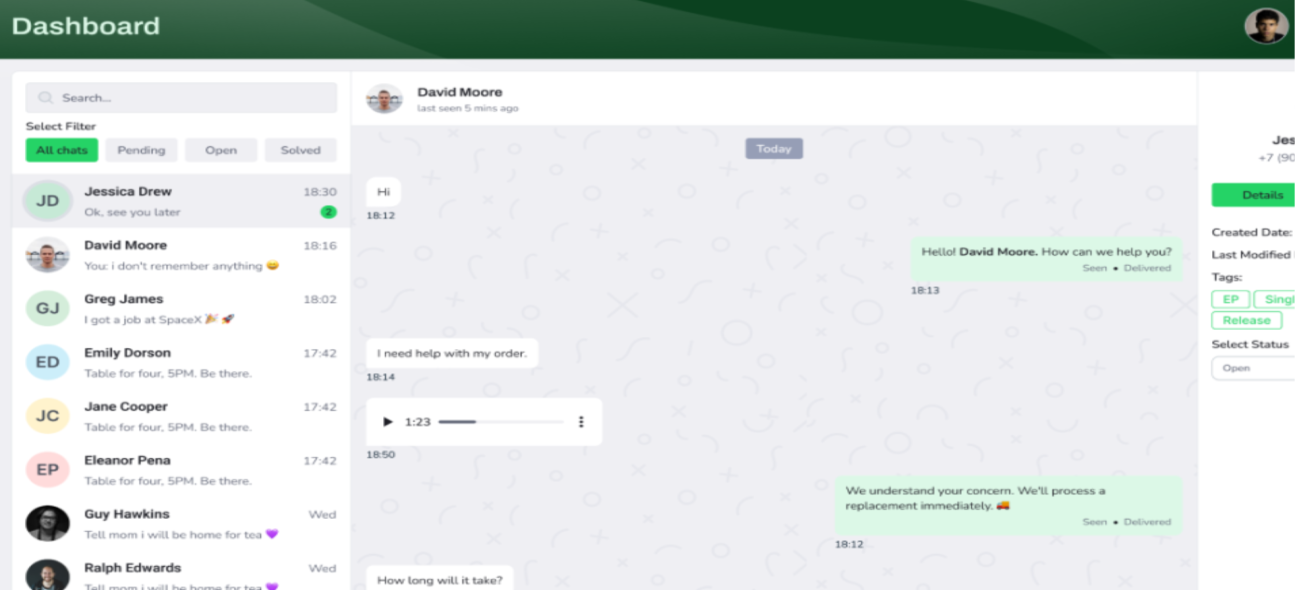
How it Works?
Understand the process from signup to just launch in just a few steps
Join to Platform
Sign up for free and unlock a full-featured CRM platform within seconds

Explore our Feature
Discover powerful tools like automation, performance trackers, and conversion boosters.
Add or Import Your Contacts
Add contacts manually or bulk import from your CRM tools, spreadsheets, or integrations.
Send Message or Create Campaign
Launch personalized messages or smart campaigns with real-time insights.
Here's What You Get
Everything you need to grow, automate, and connect with your audience
Smart Contact Management
Easily organize, segment, and import contacts from files or integrations. Tag and filter contacts for better targeting in campaigns. Keep your WhatsApp CRM list clean and organized.
Template Manager
Create and save message templates for faster communication. Use dynamic variables to personalize each message. Supports header, body, footer, and buttons for a rich message experience.
Manage Awareness
Create and manage messages through your WhatsApp channels. Monitor delivery, read status, and responses in real-time. Suitable for notifications, updates, and interacting with users.
Chatbot Builder
Automate conversations with intelligent chatbot flows. Provide instant replies, collect leads, and support customers 24/7. No coding required.
Welcome Message Automation
Send automated welcome messages to new customers or leads. Make a great first impression with personalized greetings and quick action buttons.
Short Link Generator
Create branded WhatsApp short links with pre-filled messages. Share across social media, email, or websites to drive instant conversations and leads.
Unified Inbox Manager
Manage all your WhatsApp chats in one smart inbox. Assign conversations to agents, track responses, and resolve issues quickly. Ideal for customer support teams.
Customer CRM Manager
Convert contacts into loyal customers with detailed profiles, history, and interaction tracking. Use filters and custom fields to personalize your communication strategy.
Agent Management System
Invite and manage team members with role-based access. Assign chats, track performance, and boost productivity with organized agent collaboration.
Trusted Thousands of Businesses
Hear how WhatzBot is transforming customer engagement across industries.

" Thanks to WhatzBot's WhatsApp automation and CRM pipeline features, we’ve streamlined our lead nurturing. Follow-ups are now timely and effective. Highly efficient and reliable. "
Emily Zhang
Sales Manager, ClickRise Media
" From auto-replies to campaign analytics, WhatzBot has helped us scale our communication without losing the personal touch. The support team is responsive and the onboarding was smooth. "
Carlos Mendes
Founder & CEO, NovaFix SolutionsTake Your Business Anywhere
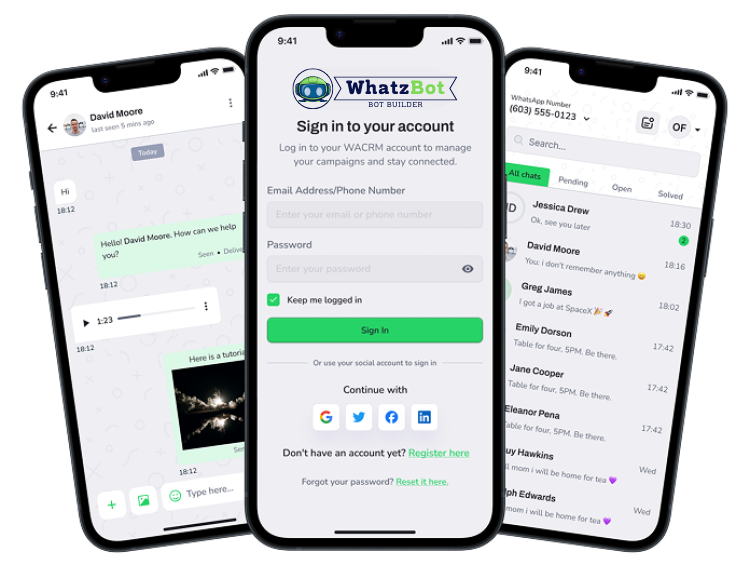
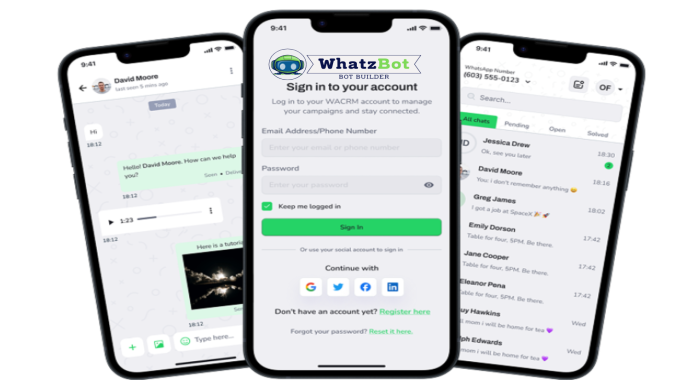
Manage conversions, deposit, and more — with the our cross-platform mobile app
Awsome Benefits of the App
- Instant notifications for new chats
- Instant access to all customer chats and data
- Easy access to customer data
- Seamless synchronization with the web platform
- Secure and fast performance
Join 10,000+ users who trust us to keep them connected on the go.
Download on the


Answers to Common Questions
Before reaching out, browse through our FAQs for quick solutions to your concerns.
WhatzBot is a complete cross-platform WhatsApp CRM tool that helps businesses manage conversations, automate customer engagement, and run awareness campaigns through WhatsApp.
WhatzBot is designed for businesses of all sizes — from freelancers and startups to large enterprises — who want to scale customer communication on WhatsApp.
Not at all. WhatzBot features an intuitive dashboard with drag-and-drop automation, easy campaign setup, and simple integration steps suitable for all users.
WhatzBot is accessible on all modern web browsers and optimized for desktop, tablet, and mobile use.
Yes, WhatzBot uses the official WhatsApp Business API, ensuring reliability, security, and full compliance with WhatsApp’s policies.
WhatzBot offers WhatsApp CRM tools, message automation, contact segmentation, multi-agent inbox, campaign analytics, and lead tracking.
Yes. WhatzBot's Pro and Enterprise plans allow you to connect and manage multiple numbers from one central dashboard.
Yes. Your entire support or marketing team can collaborate using shared inboxes, internal notes, and role-based access controls.
Yes. Our support team is available via live chat, email, and knowledge base. Enterprise clients receive priority support and a dedicated account manager.
Absolutely. We use industry-standard encryption, regular audits, and secure cloud infrastructure to ensure your data is protected. WhatzBot is also fully GDPR-compliant.
OvoWpp offers three plans: Starter (basic features), Pro (advanced tools + multiple users), and Enterprise (custom solutions and dedicated support).
Subscriptions are billed on a monthly or yearly basis, depending on your chosen plan. Yearly subscriptions come with a discounted rate.
Yes. You can upgrade your plan at any time from your dashboard. All changes are applied immediately and prorated based on your billing cycle.
If you exceed your plan’s limit (such as number of messages, contacts, or users), you will receive a notification with options to upgrade or purchase additional usage packs.
Yes. You can access and download all invoices and billing history directly from your WhatzBot account under the “Billing” section.


Get Started with Whatzbot Today
Whether you're a startup or a growing business, Whatzbot gives you everything you need to scale your communication
Our Latest Blog
Explore our collection of articles, tips, and tutorials to help your businesst

How WhatsApp CRM Tools Can Skyrocket Your Customer Engagement
In today’s fast-paced digital world, customer engagement is no longer a luxury — it's a necessity....
- 06 Feb, 2025

5 Powerful Ways to Automate Your Marketing with WhatzBot
In today’s fast-paced business world, efficiency is everything. Automating your marketing efforts n...
- 06 Feb, 2025

Why Every Business Needs a WhatsApp Campaign Manager
In an era where instant messaging dominates communication, WhatsApp has emerged as a vital platform...
- 08 Feb, 2025

Boost Conversions with WhatsApp Short Links and Smart Widgets
In the competitive world of digital marketing, even a small delay or extra step can cause a potenti...
- 08 Feb, 2025

From Contact to Customer, The WhatsApp Sales Funnel Explained
WhatsApp is no longer just a messaging app — it’s a high-conversion sales tool that helps businesse...
- 01 Jun, 2025

Top Benefits of Using WhatzBot for Agencies and Startups
In today’s hyper-competitive market, agencies and startups need smarter ways to connect with their a...
- 01 Jun, 2025